FOR RESIDENTIAL CARE PROVIDERS IN ARIZONA • LIVE AT CAREGUARD360.COM
Residential care records that keep their own deadlines
CareGuard360 keeps the records and deadlines of a residential care home in one place: the daily record, medications, incidents and staff. One organization account covers every site you run, and each kind of provider sees only its own screens.
The sample workspace runs on invented data and needs no account. The first month is free for every home, with no card.
2 business days
To enter an incident in the state portal, or 1 for a Sentinel Event
10 business days
After the month ends, for each member’s monthly progress report
90 days
For Article 9 training after hire, then again at least every 3 years
$0 a login
A login for every staff member is included, with no per-seat fee
The Day Ring
One home, one day, read clockwise from midnight
Every home in an account is drawn as a ring: the overnight, day and evening shifts, a mark for each dose, and a hand at the current time. Amber means a clock is running and red means a dose was refused, so a glance shows which home needs you today.
- Overnight, 10 pm to 6 am
- Day, 6 am to 2 pm
- Evening, 2 pm to 10 pm
- Dose given
- Dose due now
- Dose later today
- Dose refused or missed
- Incident, clock running
- Now
Who it is for
One product for several kinds of residential provider in Arizona. Every provider gets the same core: people, staff, shifts, the daily record, medications, incidents and deadlines. An organization sees only the screens for the settings it runs.
DDD group homesLive
Homes for people with developmental disabilities, run by Qualified Vendors of the Arizona Division of Developmental Disabilities. The state rules are checked against the primary sources and built in.
Assisted living homesPreview
Service plans, the daily care record, medications and family updates for each home. Sample screens are open. The state rules are not yet verified.
Behavioral health residential facilitiesPreview
Admissions, treatment plans, session notes and authorizations, so every billed day has a record. Sample screens are open. The state rules are not yet verified.
Sober living homesPreview
Beds, residency agreements, sobriety checks and the resident ledger for each house. Sample screens are open. The state rules are not yet verified.
Detox facilities and developmental homesPlanned
The features are designed, with no screens yet. Join the waitlist at sign-up; a waitlisted site is never charged.
What it does in a DDD group home
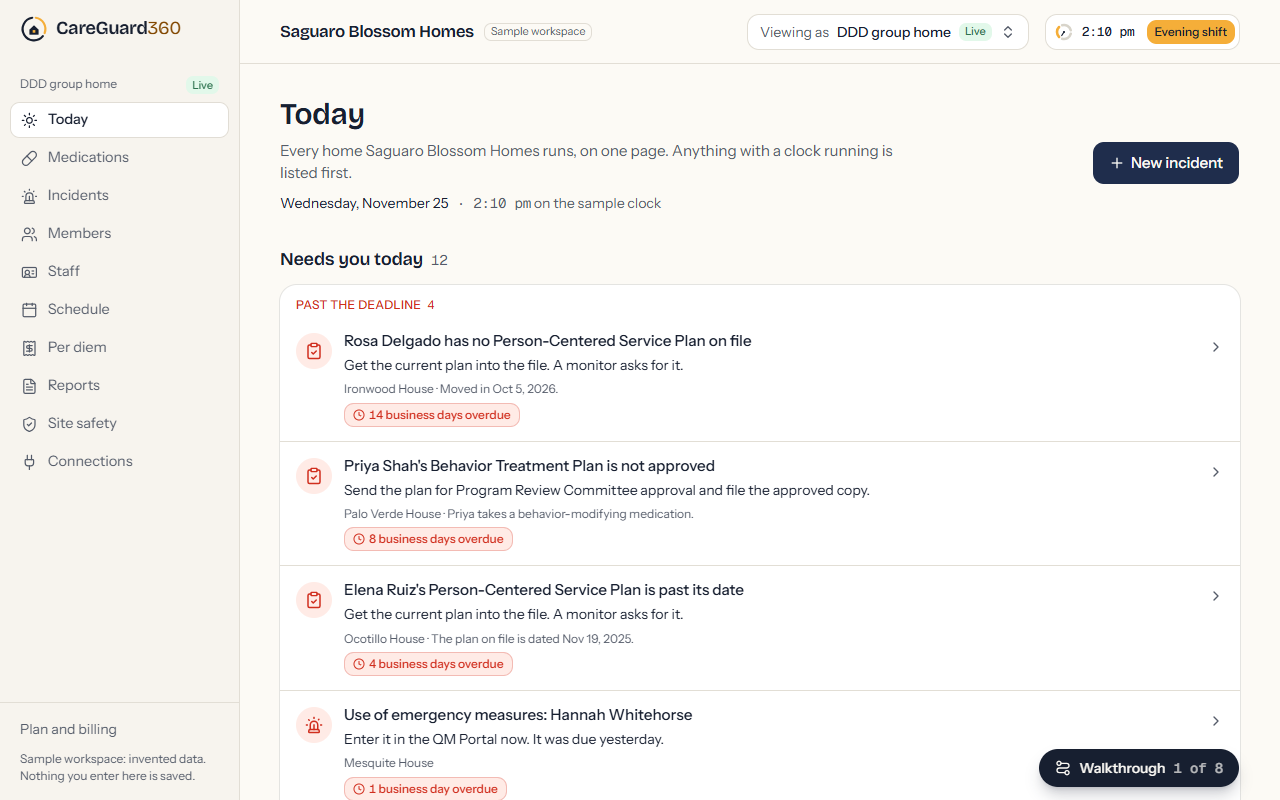
The work of a home, shift by shift, with the rule behind each record. DDD group homes come first because their rules are the ones we have verified.
Every shift
Daily record and handoff
What the last shift wrote, and anything it left open, is the first thing the next shift sees. Goal tracking goes into the daily log as it happens.
Every dose
A medication record that opens incidents
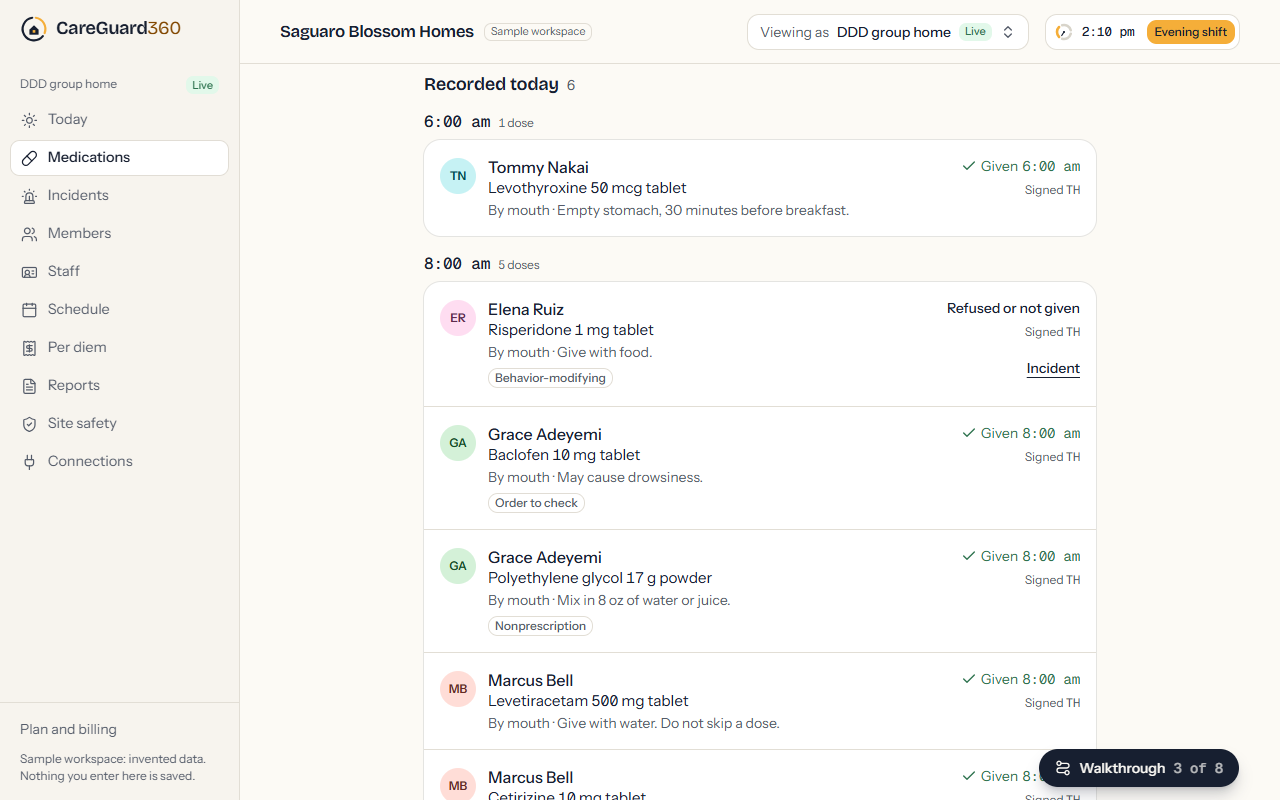
Each dose is logged with the eight elements the Provider Manual asks for. A refusal or a late dose opens an incident report by itself.
Every incident
Reports laid out for the state portal
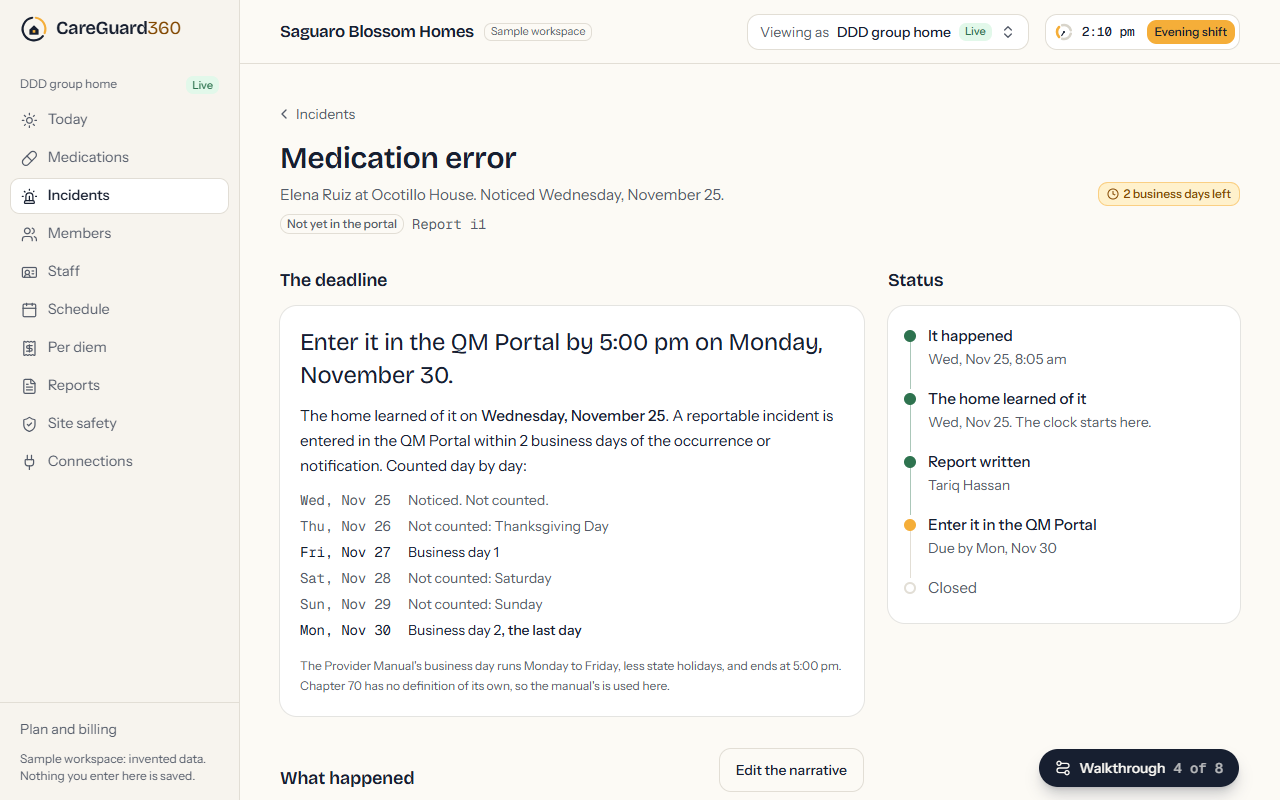
Each incident is classified, its deadline is on screen, and the text is laid out ready to key into the AHCCCS QM Portal.
Every staff member
Who can work alone today
Article 9, Prevention and Support, CPR and first aid and fingerprint card dates for each person, and a plain answer on who can work alone.
Every week
A per-diem check before you bill
The awake hours delivered this week, who was home at 11:59 pm, and the rate those two facts earn under the DDD Rate Book.
-
6:00 am
Handoff. What the overnight shift wrote, and anything it left open, is the first thing on the screen.
-
8:00 am
Medication pass. Each dose is logged with the eight required elements. A refusal or a late dose opens an incident report by itself.
-
8:05 am
That incident now has a clock: 2 business days to enter it in the QM Portal. The report is laid out ready to key in.
-
4:30 pm
Goal tracking goes into the daily log as it happens, so the monthly progress report can be drafted from the record.
-
11:59 pm
Census. Who is in the home tonight is recorded, because a resident who is away at 11:59 pm is generally not billable for the day.
The deadlines it keeps
Each clock comes from the Arizona DDD manuals, read against the primary sources in November 2026. The Division revises them, so check the current chapter before you rely on a date.
-
2 business days
Incident reports. Entered in the AHCCCS QM Portal, counted from the occurrence or from when you were told of it. Provider Manual ch. 70
-
1 business day
Sentinel Events. Phoned to the Division at once, with the call logged, then entered in the portal. Provider Manual ch. 70
-
10 business days
Monthly progress reports. One for each member after the month ends, drafted from the daily record. A person reviews each draft before it is sent. Provider Manual ch. 35
-
90 days, then 3 years
Article 9 training. Within 90 days of hire, or before working unsupervised if that comes first, and again at least every 3 years. Behavior Supports Manual ch. 600
How it is priced
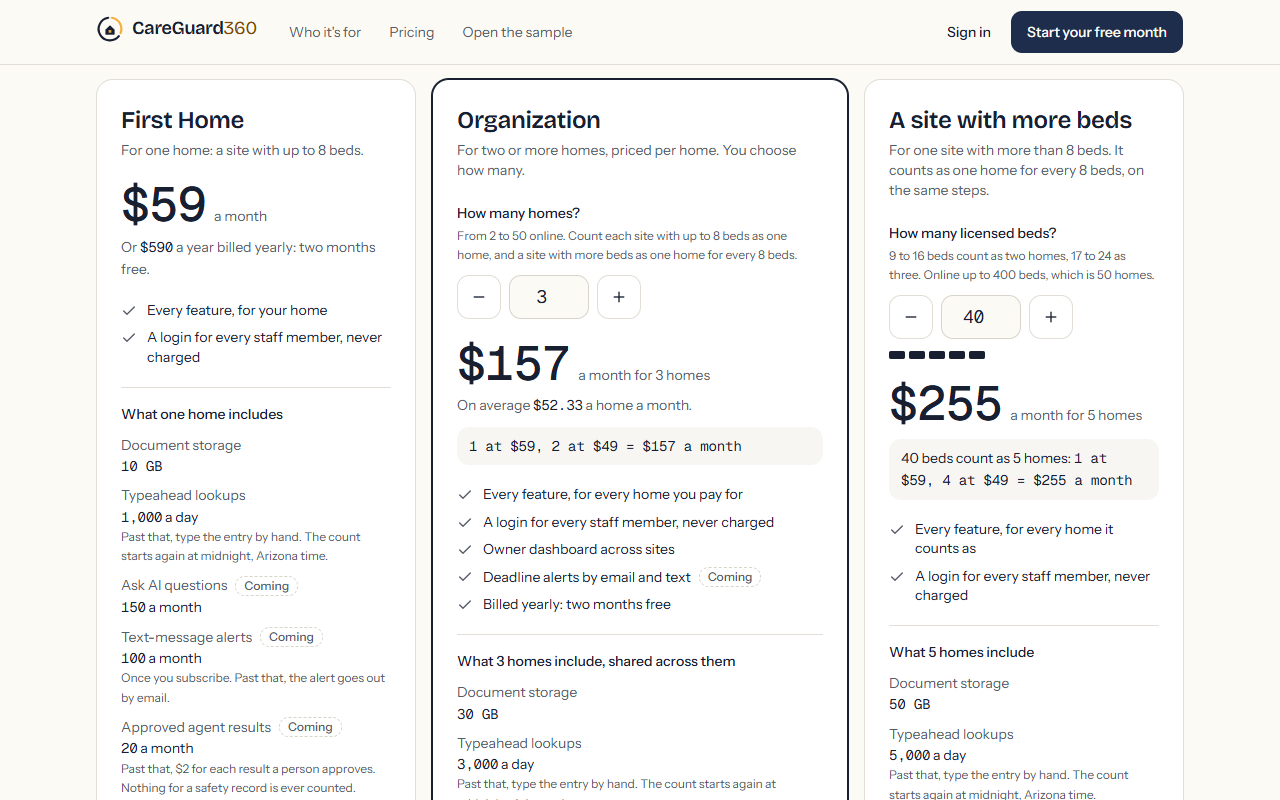
The first month is free for every home, with no card. Then the first home is $59 a month, each home after that $49, then $39 from the 6th home and $29 from the 16th. A home is a site with up to 8 beds, every staff login is included, and Arizona tax of 8.1% is added at checkout.
The first home
$59 a home a month
Homes 2 to 5
$49 a home a month
Homes 6 to 15
$39 a home a month
Homes 16 and up
$29 a home a month
A site with more beds counts as one home for every 8 beds. Billed yearly, a year costs ten months. See every price at careguard360.com/pricing.
What is real today
CareGuard360 went live on November 24, 2026. Here is what works now, and what does not yet.
Working now
- Sign-up, creating your organization and setup work at careguard360.com.
- The sample workspace is open to anyone, with no account: a guided walkthrough of 8 screens in invented homes.
- The DDD group home rules are built into those screens, each with its source.
Not yet
- The workspace screens run on invented sample data. CareGuard360 does not keep your members’ records yet.
- It does not connect to any state system or file anything with the state.
- Answers with the rule cited, and help with getting and keeping a license, are on the way and not built yet.
So the best way in today: open the sample, walk through a day in a home, set up your organization, and tell us what we got wrong.
See a whole day in a home
Open the sample workspace first, or start your free month. We want to hear from the people who do this work every day.
Boniface Osonwanne, CEO • Bon@Osonwanne.com • 602-632-9589 • careguard360.com • More ventures: see Ventures
CareGuard360 is a venture of Osonwanne Group LLC. It is not affiliated with, or endorsed by, the Arizona Department of Economic Security, the Division of Developmental Disabilities or AHCCCS. The sample workspace uses invented data: every person, home and record in it is made up.